
Printable Screen Defect Log With Grid
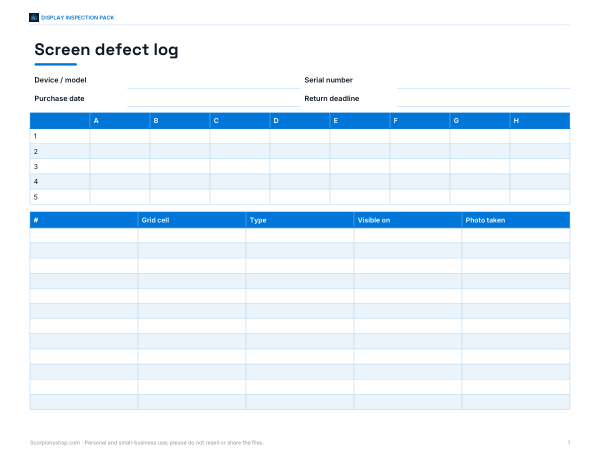
This sheet is for checking a display for dead pixels, stuck pixels, and other screen defects. It includes fields for device or model, serial number, purchase date, and return deadline, plus a lettered grid with columns A through H and numbered rows for marking problem areas. A log table below records the entry number, grid cell, defect type, where it is visible, and whether a photo was taken.
Free printable · PDF
- 1 page
- US Letter, landscape — choose “Fit to page” for A4
- PDF, 57 KB
Free for personal, family and classroom use.
Use the grid to note each bad spot as you inspect the screen, then match it to a line in the log table. Fill in the device details first, test the display section by section, and keep the sheet with your notes if you need to compare results or report a defect.
Good for
- Record dead pixel locations on a display
- Track defect details for warranty claims
- Organize screen inspection notes by grid cell
Tip: Print at 100% scale so the grid and writing spaces stay accurate.
4 files · PDF, DOCX, XLSX
Get every sheet: Display Inspection Pack
This sheet plus 3 more in one download, with the editable Word and Excel files. Printable display inspection checklist, defect log with screen-position grid, return and warranty claim tracker and a new-device setup checklist.
$5.00 USD, one-time 4 files · about $1.25 each
- Instant download
- 7-day refund
- Secure checkout by Stripe
7-day money-back guarantee. Full refund within 7 days of purchase, even after you download.
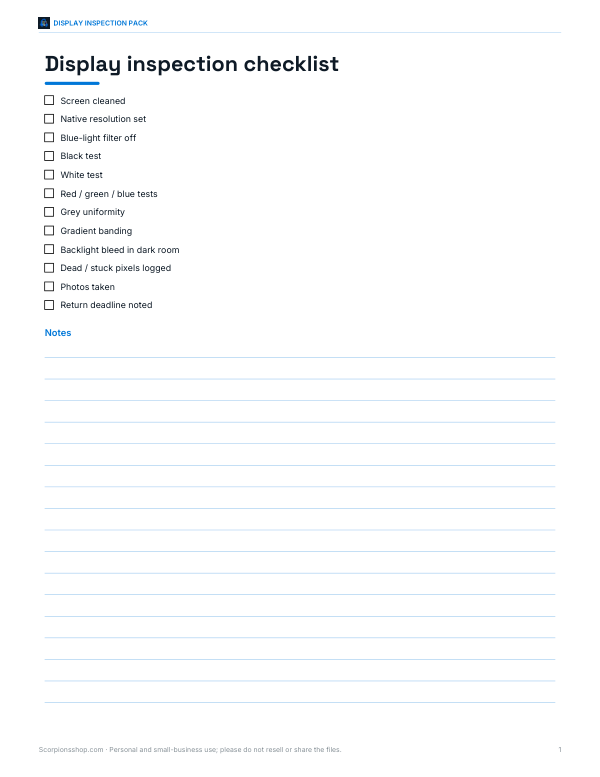 Printable Display Inspection Checklist
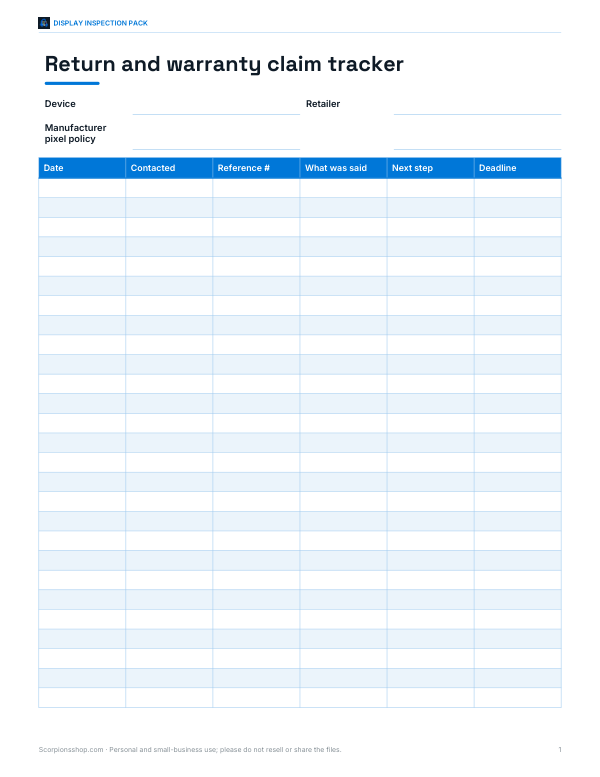 Printable Claim Tracker Sheet
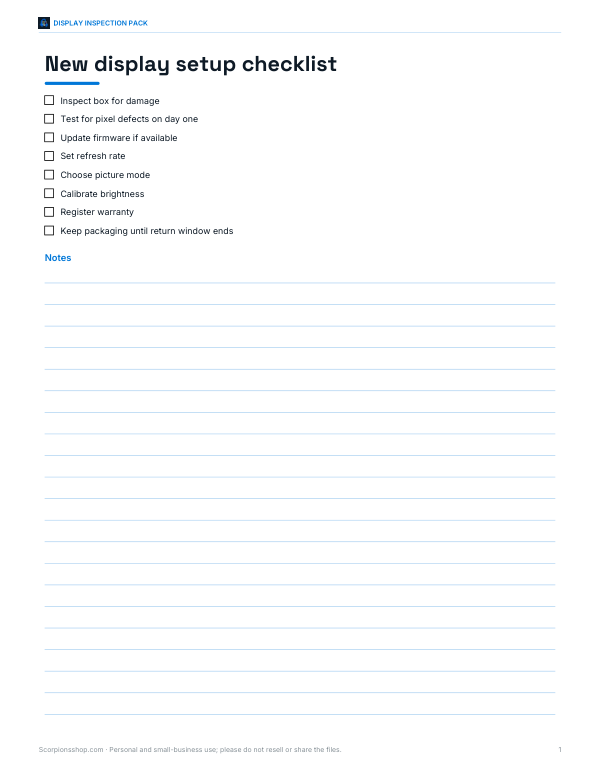 Printable New Display Setup Checklist